SWIT Portal GIFT City: How IFSCA’s Single Window Works
The SWIT portal GIFT City applicants use is where a setup plan becomes a filed application. Most entities applying for activities enabled on SWIT encounter it early in the setup process, although the exact sequence depends on the activity and applicable route.
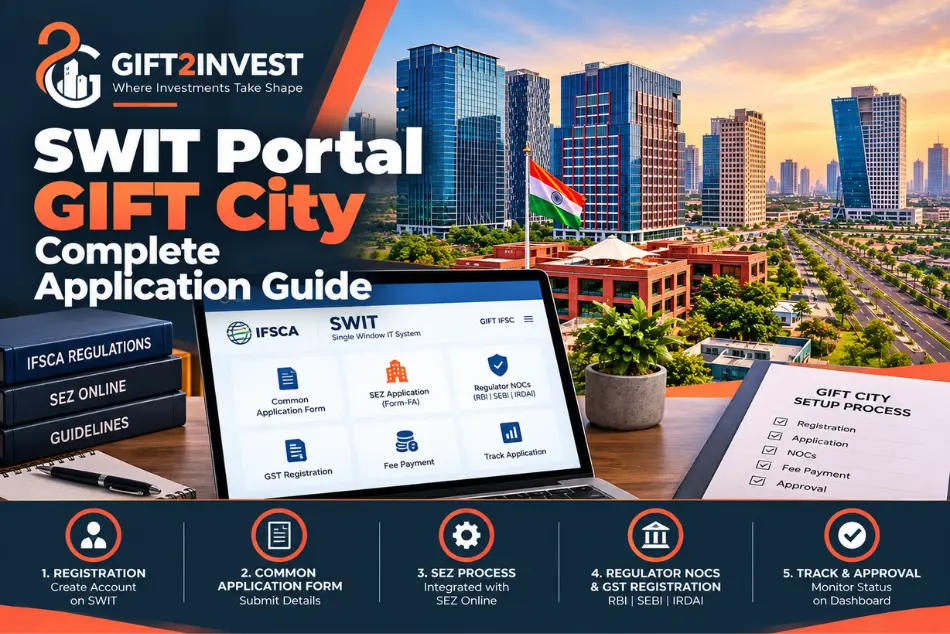
SWIT stands for Single Window IT System. IFSCA built it to bring the licence application, the SEZ approval request, the GST registration request and regulator NOCs into one place. Before it, applicants juggled several forms on several portals.
This guide covers what SWIT does, how it connects to SEZ Online, what the Common Application Form is, how registration runs and what happens after you submit. It is written for entities setting up in GIFT City, and for investors and landlords who want to understand how new tenants actually get approved.
That last point matters for property. Every approved unit needs premises, and premises come first in the sequence. SWIT filings are where commercial demand for GIFT City’s SEZ buildings starts to take shape.
SWIT and SEZ Online at a Glance
| Point | SWIT | SEZ Online |
|---|---|---|
| What it is | IFSCA’s Single Window IT System for applications in GIFT IFSC | The SEZ approval portal where SEZ-side processing happens |
| Main job | Registration, Common Application Form, fee payment, regulator NOCs, GST registration request | Processing of the SEZ application, deficiency checks, Letter of Approval and later SEZ filings |
| Where you start | Here, for most activities | Directly, only for activities not yet enabled on SWIT |
| Link between them | Form-FA for the LOA is part of SWIT and integrated with SEZ Online | Receives the SEZ part of the SWIT application and takes it forward |
| Tracking | Dashboard shows IFSCA and NOC statuses | Tracks SEZ deficiencies, LOA and post-LOA steps |
What Is the SWIT Portal?
The SWIT portal GIFT City applicants see at swit.ifsca.gov.in is IFSCA’s online gateway for entities that want to set up in GIFT IFSC. An applicant registers once, files applications, pays fees, answers queries and tracks outcomes from a single dashboard.
What Does SWIT Stand For?
Single Window IT System. IFSCA documents also use the short form SWITS. Both names point to the same platform.
Why Was SWIT Introduced?
The Union Budget for FY 2023-24 announced a single window IT-enabled system for entities setting up operations in GIFT IFSC. The aim was ease of doing business. Prime Minister Narendra Modi launched the system on 16 September 2024.
IFSCA then issued a circular on 30 September 2024. From 1 October 2024, applicants had to file exclusively through SWIT, except for a short list of activities not yet enabled on the platform.
Who Operates SWIT?
IFSCA developed and runs it. The helpdesk is reachable at swits.helpdesk@ifsca.gov.in and applications@ifsca.gov.in, from 10:00 AM to 6:00 PM, Monday to Friday, excluding public holidays. Entities exploring GIFT IFSC can also write to IFSCA’s Development team for a process overview before applying.
What Is the Purpose of SWIT in GIFT IFSC?
SWIT exists to cut duplication. One registration, one application form and one dashboard replace a stack of separate filings.
One form for the licence. The Common Application Form merges several earlier forms, including business-specific annexures. It covers applications under the Acts IFSCA administers.
SEZ coordination. The application form for the Letter of Approval, Form-FA, is part of SWIT and integrated with SEZ Online. The SEZ side moves across without a second filing.
NOCs from domestic regulators. A built-in module handles No Objection Certificates from RBI, SEBI and IRDAI where an activity needs one.
GST registration. Entities can start their GST application from the same dashboard.
Fees and validation. SWIT supports online payment of fees in USD. The form also lets you verify details such as PAN and DIN as you fill it in.
One login now carries what used to take several portals. That is the real gain for a first-time applicant.
How SWIT Fits Into the GIFT City Setup Process
SWIT is one stage in a longer path. The usual order looks like this.
- Choose the activity and read the rules. Check the IFSCA regulation or framework that covers your business.
- Reserve premises. Send an interest letter to a GIFT SEZ developer and obtain a Provisional Letter of Allotment.
- Incorporate or register. A company or LLP is incorporated with a registered office in the IFSC. A foreign entity may instead open a branch.
- File the Common Application Form on SWIT. This is the single filing. It carries the IFSCA application, the SEZ application and any NOC requirement.
- Respond to queries. IFSCA scrutiny and the Unit Approval Committee review run after submission. The SEZ side moves to SEZ Online.
- Receive the Letter of Approval. The Administrator (IFSCA) issues it through SEZ Online. The LOA is followed by the applicable post-LOA steps, and final IFSCA approval or Certificate of Registration is obtained through SWIT at the stage prescribed for the activity.
- Complete post-LOA steps. These include the BLUT, the registered lease deed within six months of the LOA date, the Eligibility Certificate and commencement of operations.
Treat this as the usual pattern, not a rigid queue. Some steps overlap. IFSCA publishes a workflow document for setting up on the portal, and it is worth checking against your own activity.
Is SWIT the Same As SEZ Online?
No. They are separate systems that talk to each other. You start on SWIT. Once the SEZ portion is submitted, it flows into SEZ Online, and further SEZ steps happen there. Applicants who keep checking the wrong portal lose time.
What Is the Common Application Form (CAF)?
The CAF is the master application on SWIT. IFSCA created it by merging several existing forms, including the business-specific annexure forms, so that one form can serve many activities.
Inside the portal, an applicant picks a regulation type first. The user manual lists categories such as banking, finance company, capital market intermediaries, insurance business, insurance intermediary, fund management, fintech entities, ancillary services, global in-house centres and vault managers. A catch-all “Other” category also exists.
The form is divided into sections, followed by an annexure, a NOC section where applicable, and fees. The annexure and the document list change with the regulation type and activity you select.
One choice cannot be undone. At the declaration step you select either “Branch in IFSC” or “Incorporated in IFSC”. The manual states this selection cannot be changed later.
There is no universal document checklist. Requirements vary by activity, structure and the regulation that applies. Use the checklist the portal generates for your application, and confirm with IFSCA if anything is unclear.
Who Needs to Use the SWIT Portal?
Entities seeking IFSCA approval through SWIT for activities enabled on the platform can use it to open a branch or establish an entity in GIFT IFSC. This includes banks, finance companies, capital market intermediaries, insurers and intermediaries, fund managers, fintech firms, ancillary service providers and global in-house centres, subject to the route applicable to the activity.
Structure matters. SWIT asks whether you are a branch or an entity incorporated in the IFSC, and companies and LLPs incorporated here generally fall under the second option. Confirm the position for your specific activity.
Some activities use different application routes or separate forms/modules. The available routes also change as IFSCA adds modules to SWIT. For example, the live SWIT portal now lists a Payment Service Provider application form. Check the current IFSCA guidance and live portal for the route applicable to your activity rather than relying on an older exclusion list.
Property buyers do not use SWIT. Buying an apartment or an office unit does not require an application here. The portal is for businesses seeking IFSC unit status.
How to Register on the SWIT Portal
Registration is the first step in using the SWIT portal GIFT City applicants rely on. It takes a few minutes, but small errors cause delays later, so enter details exactly as they appear in your records.
Step 1: Access the Portal
Go to swit.ifsca.gov.in. Use the official address only. The home page carries links for Entity Registration, Entity Login, Office Login, the entity user manual and the DSC page.
Step 2: Start Entity Registration
Click Entity Registration. Entities use this route. Office Login is for IFSCA officials.
Step 3: Enter Entity Details
Choose whether the entity is registered inside or outside India, and select the phone code for the country where the entity resides. Enter the entity name and registration number, then set a password.
The mobile number, email address and registration number must each be unique. The password and confirmation must match.
Step 4: Keep Authorised Person Details Ready
Later sections of the CAF ask for the person who will sign the application, including name, designation and signature and seal files. Keep the board resolution authorising that person at hand before you begin.
Step 5: Verify Your Contact Information
SWIT sends a one-time password to your registered email. Verifying the email is mandatory before you can log in. Check spam if it does not arrive.
After that, log in with your email address as the username, your password and a fresh OTP. If registration was left unverified, the Verify Account option lets you complete it later.
Digital Signature Certificate (DSC) for SWIT
A DSC is a digital credential, issued by a licensed certifying authority, that lets a named person sign electronic documents legally. In SWIT, it supports signing of the application by the authorised signatory.
The portal has an Acquire DSC page that lists certifying authorities, including eMudhra, (n)Code Solutions, NSDL, Capricorn, SafeScrypt and others. After you complete the CAF, the system generates a report. The signatory then e-signs it using the Vsign Service application, and the status moves forward.
Plan for this early. Obtaining a DSC takes time, and the person named in the application should be the person whose certificate you use. IFSCA’s checklists also expect documents to be signed by the person authorised under a board resolution.
What Applications Can Be Submitted Through SWIT?
The main use is the Common Application Form for IFSCA registration, licence or authorisation, together with the SEZ application. Beyond that, the dashboard supports several related tasks.
- Creating new CAF applications, or copying details from an earlier one.
- Paying fees online, or by challan.
- Replying to queries raised by IFSCA or a domestic regulator.
- Requesting withdrawal of an application, subject to IFSCA’s acceptance.
- Starting a GST registration application.
IFSCA keeps extending what the portal handles. In February 2026, it introduced a unified registration route, called the Master Key, for eligible capital market intermediaries. A single SWIT application can cover multiple permitted capital market activities under that route, subject to the applicable regulations. Fees are still charged for each activity.
Modules change. Before you plan around a specific application type, open the live dashboard and confirm it is available. Some activities, such as payment services, have been treated separately from the CAF route, so check IFSCA’s current guidance for yours.
SWIT and Other Government and Regulatory Systems
SWIT touches several systems. They are connected, but they are not interchangeable.
IFSCA. It is both the licensing regulator and, through the Administrator, the SEZ authority for IFSC units. SWIT is its application front end.
SEZ Online. The SEZ application flows here from SWIT. The Letter of Approval is processed and issued through this portal.
GSTN. SWIT lets an entity start a GST application. On submission, the entity receives a Temporary Reference Number by email and uses it on the GST portal to continue. SWIT itself does not issue the GST number.
RBI, SEBI and IRDAI. Where an entity needs approval from a domestic regulator, SWIT’s NOC module routes the request. The user manual gives banking services to RBI, stock market services to SEBI and insurance services to IRDAI as examples. The dashboard shows when an application is pending with each.
What Happens After You Submit an Application Through SWIT?
Once fees are paid, the application goes to IFSCA and, where relevant, to the domestic regulator for scrutiny. Some fees can be paid after in-principle approval, and the portal tells you which.
IFSCA states that its team will reach out within 7 working days of successful submission with any queries. It also says it will strive to take a final decision within 45 days.
Read those timelines carefully. They are targets, and they run from the point of a complete submission. Slow replies, missing information and regulator NOCs can all extend the path.
Queries appear on your SWIT portal GIFT City dashboard under statuses such as in-principle query or NOC query. The status then shows submitted, approved or rejected as the case moves.
On the SEZ side, deficiencies are raised on SEZ Online. Recent Unit Approval Committee minutes show applicants asked to rectify deficiencies within 15 days. Check the notice on your own file for the deadline that applies.
Once approvals are in place, the Letter of Approval follows. After that, the BLUT, the lease deed and the Eligibility Certificate come into play. Those steps have their own guides on GIFT2Invest.com.
8 Common Mistakes to Avoid When Applying Through SWIT
- Choosing the wrong business activity. The regulation type drives the annexure, fees and document list. A wrong pick means rework.
- Skipping the applicable regulations. Read the IFSCA regulation or framework for your activity before filing, not after.
- Incomplete or inconsistent information. Names, addresses and registration numbers should match across the CAF, the PLOA and incorporation records.
- Ignoring the annexure. The business-specific annexure is part of the application. It is not an optional extra.
- Choosing branch or incorporated by guesswork. The portal does not let you change it later.
- Not having the signatory and DSC ready. A delay in getting the certificate can stall an otherwise complete application.
- Treating SWIT and SEZ Online as one system. Watch the right portal for the right stage.
- Leaving queries unanswered. Check the dashboard regularly. An unanswered query holds up the entire file.
SWIT vs SEZ Online: Where They Differ
The table near the top of this article shows the split in brief. In practice, think of SWIT as the door and SEZ Online as the room behind it.
SWIT is where you apply, pay and answer IFSCA. SEZ Online is where the SEZ half of the process is examined and where the Letter of Approval is downloaded. For activities not yet enabled on SWIT, you skip the door and file directly on SEZ Online.
The two are integrated for the workflows that need both. That integration is the reason a single SWIT filing can start two approvals at once.
Wrapping Up: What to Take From the SWIT Portal GIFT City Processv
The SWIT portal GIFT City entities use has changed how setup works. One registration, one Common Application Form and one dashboard now carry applications that once needed several portals.
Understand how the CAF, IFSCA and SEZ Online fit together, and the rest of the process becomes easier to read. Pick the right regulation type, keep the signatory and DSC ready, and answer queries quickly.
For anyone watching GIFT City real estate, the logic is simple. Each approved unit needs premises, and the SEZ and DTA inventory is where those units land.
Frequently Asked Questions About SWIT
What Is SWIT in GIFT City?
It is IFSCA’s Single Window IT System, the online platform for applications to set up and operate in GIFT IFSC.
What Does SWIT Stand for?
Single Window IT System. IFSCA documents sometimes write SWITS.
Is SWIT Mandatory for GIFT IFSC Applications?
For most activities, yes. IFSCA’s circular directed that from 1 October 2024 applicants file exclusively through SWIT. Activities not yet enabled on the platform are exceptions and follow the regular mode.
Is SWIT the Same As SEZ Online?
No. They are separate systems. SWIT hands the SEZ part of an application to SEZ Online, where further processing takes place.
What Is CAF in SWIT?
The Common Application Form. It merges several earlier forms, including business-specific annexures, into one application.
How Do I Register on the SWIT Portal?
Open swit.ifsca.gov.in, choose Entity Registration, enter entity details with a unique email, mobile number and registration number, verify the email by OTP, then log in.
What Documents Are Required for SWIT?
It depends on the activity, structure and regulation. The portal shows a document list based on your application. IFSCA also publishes form and annexure details on its How to Apply page.
Is a DSC Required for SWIT?
The portal uses e-signing for the application report, and it lists DSC certifying authorities. Keep the authorised signatory’s certificate ready, and confirm current requirements in the user manual.
Can an LLP Apply Through SWIT?
Generally yes. SWIT offers an “Incorporated in IFSC” option, and entities such as companies and LLPs incorporated in the IFSC use it. Confirm the position for your activity.
Can a Branch Apply Through SWIT?
Yes. The declaration step offers a “Branch in IFSC” option. The choice cannot be changed later.
How Long Does IFSCA Take to Respond After SWIT Submission?
IFSCA says the concerned team will reach out within 7 working days with queries, and it will strive to decide within 45 days. These are targets, not guarantees.
Does SWIT Handle GST Registration?
It lets you start the application. You receive a Temporary Reference Number by email and continue on the GST portal.
Does SWIT Replace SEZ Online?
No. SWIT is integrated with SEZ Online. The Letter of Approval is still processed there.
Where Can I Get Help if I Face an Issue With SWIT?
Write to swits.helpdesk@ifsca.gov.in or applications@ifsca.gov.in, available 10:00 AM to 6:00 PM on working days. The portal also has a Connect with Us query form.
Sources and References
This article was checked against the following official and primary sources at the time of writing. Portal modules, forms, fees and timelines are updated periodically, so verify the current position before you rely on any step described here.
IFSCA SWIT portal, home and How to Apply
https://swit.ifsca.gov.in/Home/HowtoApply
IFSCA SWIT Entity User Manual (V1.03)
https://swit.ifsca.gov.in/Documents/User_Manual_IFSCA_Entity_V103.pdf
IFSCA SWIT portal: Acquire DSC and certifying authorities
https://swit.ifsca.gov.in/DscCertifyingAuthorities/Index
IFSCA Circular, Single Window IT System, 30 September 2024
https://ifsca.gov.in/Document/Legal/swit-circular-pdf30092024080524.pdf
IFSCA: How to Apply (CAF, annexures, 7 working days and 45 days)
https://ifsca.gov.in/Pages/Contents/HowToApply
IFSCA: Workflow for Setting up in IFSC on the SWIT portal
https://swit.ifsca.gov.in/Documents/SampleFiles/Workflow_for_Setting_up_in_IFSC_on_the_SWIT_portal_V1.0.pdf
IFSCA: SEZ Compliance FAQs Booklet
https://ifsca.gov.in/Document/Developments/SEZ_Compliance_FAQs_Booklet.pdf
IFSCA Circular on Unified Registration (Master Key), 13 February 2026, via Taxmann
https://www.taxmann.com/post/blog/ifsca-introduces-unified-registration-for-multiple-capital-market-activities
GIFT City Newsletter, September 2024 (launch of SWIT), via Mondaq
https://www.mondaq.com/india/commoditiesderivativesstock-exchanges/1525428/gift-city-newsletter-%7c-september-2024
TaxGuru: Setting Up in GIFT City IFSC 2026
https://taxguru.in/rbi/setting-gift-city-ifsc-2026-approvals-tax-fema-compliance.html
IFSCA: Unit Approval Committee minutes (SEZ Online deficiency timelines)
https://ifsca.gov.in/Document/Developments/46th_UAC_Minutes_of_the_Meeting.pdf
GIFT City official portal
https://giftgujarat.in
IFSCA, Workflow for Setting up in IFSC on the SWIT portal (June 2026)
https://ifsca.gov.in/Common/PreviewPdfFront?fileName=Workflow_for_Setting_up_in_IFSC_on_the_SWIT_portal_V1_0_20260610_0617.pdf&id=91427247c5628a865846d173bcbab379
IFSCA, current SWIT portal / Entity Login (current modules)
https://swit.ifsca.gov.in
IFSCA, Unified Registration (Master Key) under the IFSCA (Capital Market Intermediaries) Regulations, 2025, 13 February 2026
https://www.ifsca.gov.in/CommonDirect/ViewFile?fileName=Unified_Registration_for_multiple_Capital_Market_Activities_under_the_IFSCA__Capital_Market_Intermediaries__Regulations__2025__Master_Key___2__20260213_0616.pdf&id=36ff47aaeb9222f627d166fe86c6f2b3
Source Note: This article is general information for awareness purposes only and is not legal, tax or regulatory advice. Confirm current SWIT modules, forms and requirements with IFSCA or a qualified compliance professional before filing.